User login
Navigation
Syndicate

StarMessage screensaver FAQ
Is there a gift certificate for the StarMessage screensaver?
December 16, 2008 - 10:03am — web adminIf you want to purchase the screensaver and give it as a gift, you have two different possibilities:
1) when purchasing give your friends details in the "Recipient Information".
Will the picture of the moon change with the changing phases, or just the scrolling message at the bottom?
October 15, 2008 - 4:16pm — web adminYes, in StarMessage Moon phases Screensaver, the picture of the moon changes according to the current moon phase.
- Login to post comments
How do I lookup my order status that I placed via RegNow?
September 13, 2008 - 9:00am — web adminYou can go to RegNow Order lookup
https://www.regnow.com/order_lookup.html
and put your email and the order number as listed in the email receipt you got from RegNow.
I cannot see the "Enter Registration Code" button in the configuration screen of the starmessage screensaver.
August 27, 2008 - 2:08pm — web adminThe most common reason why you do not see this button is that you have the StarMessage Special Edition which comes without this button.
You can easily see which version you have:
Where are the full moon names and the visible percent of moon shown?
August 12, 2008 - 9:59am — web adminThe moon phase type and percent illuminated of the moon disk should appear in the scrolling bottom line.
The picture of the moon is not shown on the screensaver
August 5, 2008 - 2:19pm — web adminQ:
Should I be seeing a picture of the moon on the screensaver ? All I see is
the night sky with beautiful stars, but no moon.
A:
How can I get the StarMessage screensaver for free via TrialPay?
July 18, 2008 - 3:55pm — web adminStarMessage has partnered with TrialPay to offer you the StarMessage screensaver for Free.
How TrialPay works:
When ordering do I need to include the "Extended Download Service" from regnow?
July 14, 2008 - 12:10pm — web adminNo, you can ommit the "Extended Download Service" to reduce the final price.
The "Extended Download Service" is a download URL that is maintained for your convenience for future downloads.
Do you have a Linux or Apple/MAC version of your software?
July 14, 2008 - 10:57am — web adminAs you can see both at our main product pages and at our ordering pages, our software is designed to work on Windows operating system.
Can the moon image on the StarMessage screensaver be bigger?
July 14, 2008 - 10:39am — web adminNo, for the moment, the moon image size is fixed.
- Login to post comments
How to enter the registration code of the StarMessage screensaver if you cannot see the entry box
January 6, 2008 - 8:53pm — web adminOn some windows themes, the screen attributes and font sizes might have been modified.
Why isn't my screensaver starting automatically?
December 2, 2007 - 10:26am — web adminYou have to configure your PC to start the screensaver automatically after some minutes of no activity. (no keyboard hits, no mouse movements)
1) Select the active screensaver:
How do I create a CDRom / DVDRom containing the StarMessage screensaver?
November 28, 2007 - 7:53pm — web adminThe distribution of the StarMessage screensaver is electronic (via downloads).
Free your mind from boring things like dates, bills, appointments and duedates and live you life.
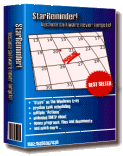
StarReminder
A reminder utility for winfows, that will act as your sleepless secretary and tirelessly remind you about birthdays, meetings, doctor appointments, bill payments.
If you really like the moon, you should have its screensaver.
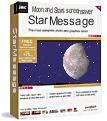
StarMessage screensaver
View the current Moon Phase and write your name in the stars of the night sky.
Get the free trial or get the full version for free with TrialPay.
Full catalog of TrialPay software